Mail, Calendar, People, Tasks, Notes, Journal and Feeds in one application.
Open protocols only — IMAP, POP3, SMTP, CalDAV, CardDAV — with no cloud service
behind it, no account required, no AI features and no telemetry.
A .deb for Debian 13 and its relatives · Arch via the AUR
(yay -S mailbox-bin) · a self-contained tarball that runs from wherever
you extract it.
Seven modules
One window, one store, one set of habits.
Every module is part of the same application over the same local store, reached from
the rail down the left edge. Categories, search, printing and theming work the same way
in all of them.
Mail
IMAP, POP3 and SMTP with autoconfig and OAuth2. Conversations, search folders,
rules that compile to Sieve, and a junk filter trained on your own marks.
Calendar
Recurring events with real time-zone and DST handling, a second time-zone column,
iMIP invitations, reminders, a scheduling assistant and read-only .ics
subscriptions.
People
vCard address books over CardDAV, autocomplete and Select Names, business-card and
list views, and categories shared with every other module.
Tasks
The To-Do List and task folders, recurring chores that regenerate on completion,
reminders, and Google Tasks sync.
Notes
A wall of small note windows you can leave open on the desktop, categorised and
searched alongside everything else.
Journal
A six-view timeline of what happened and when, kept in the same store as the rest
of it.
Feeds
A built-in RSS and Atom reader as a module of its own, with its own store, boards,
Read Later and article text kept for reading offline.
A closer look
Pulled straight from the application.
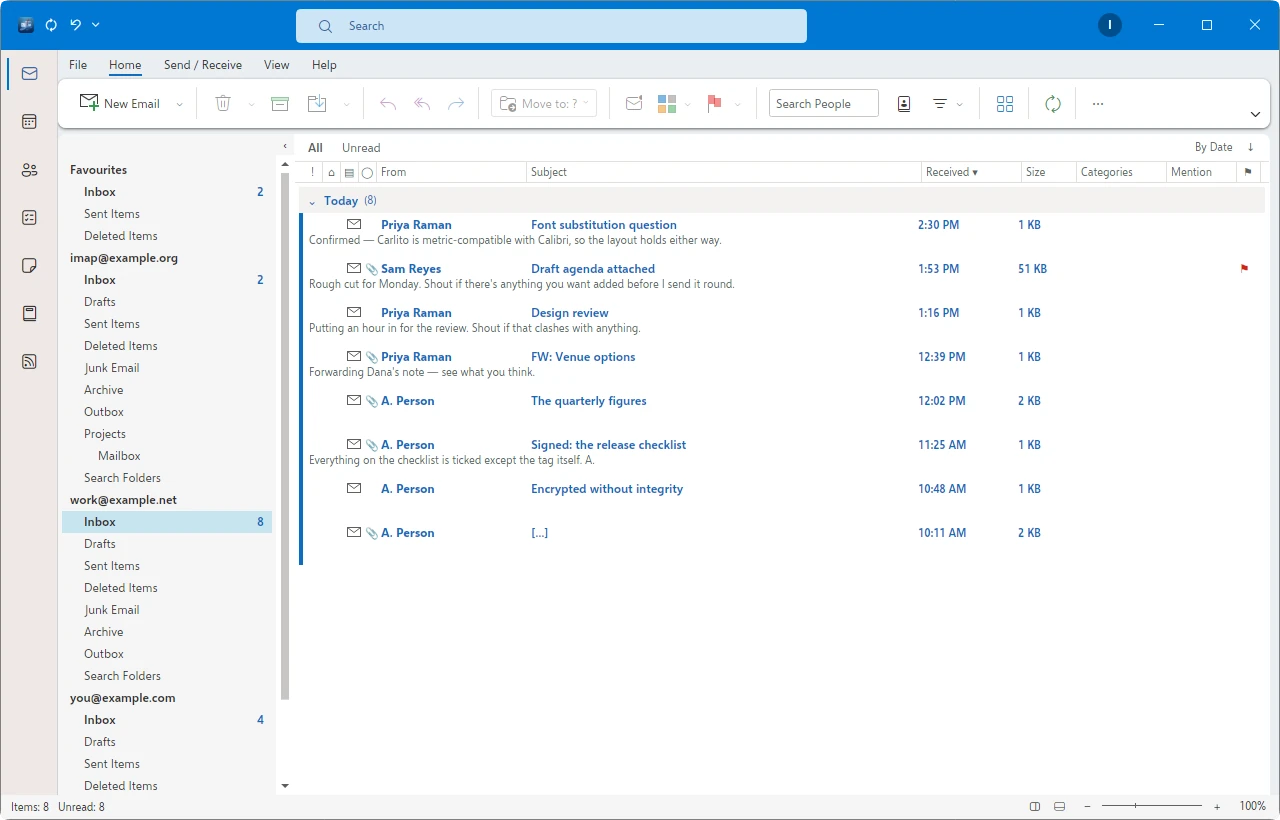
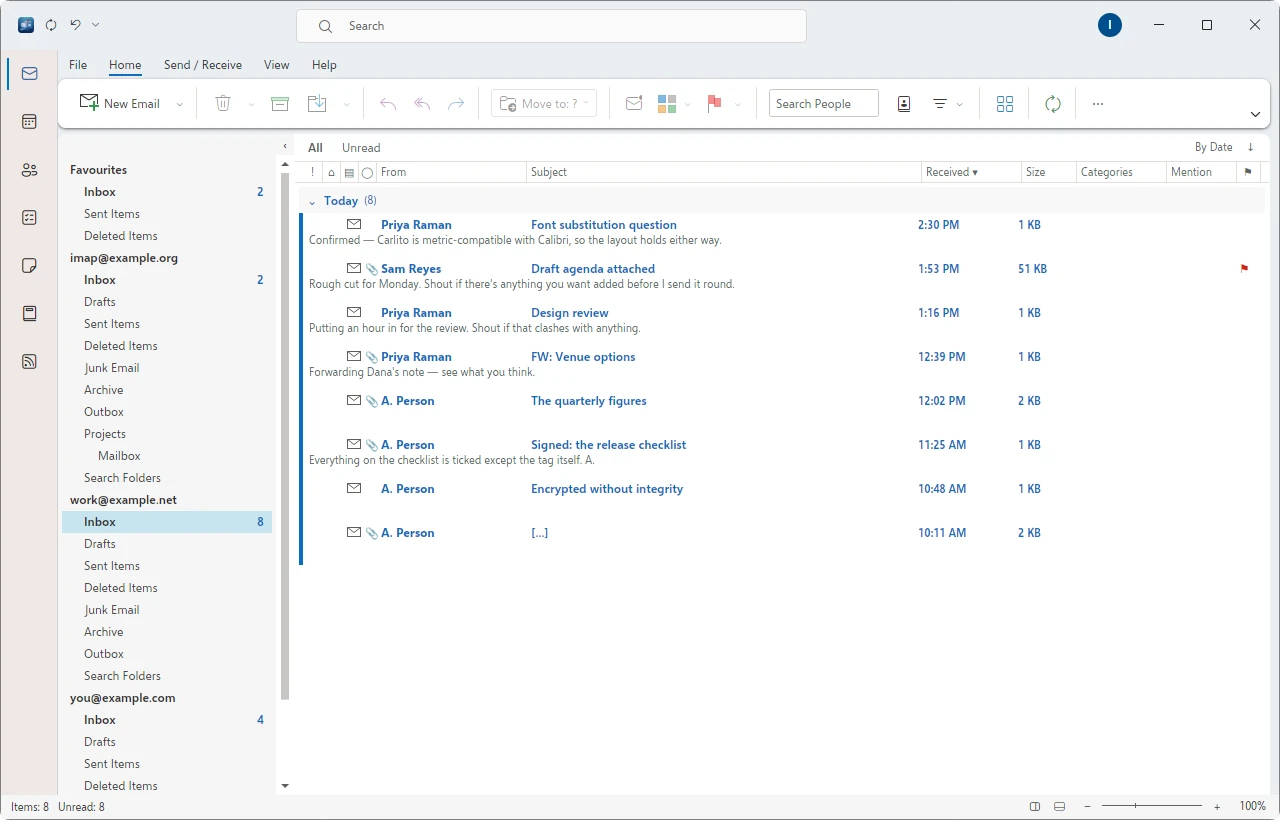
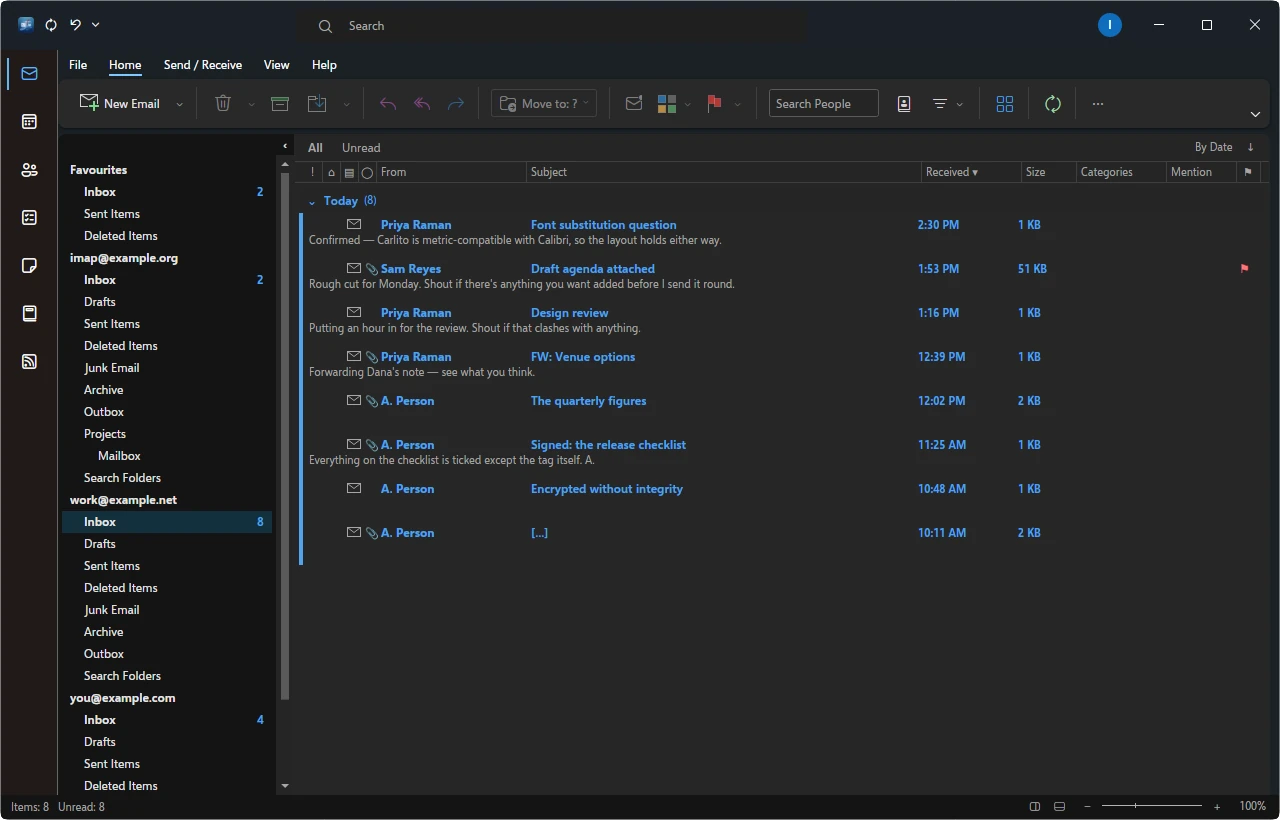
The message list is the application.
Eleven conversation arrangements, Focused Inbox, an opt-in unified inbox, and
full-text search with a keyword grammar — from:, subject:,
dates — running against a local index whether or not you are online. Snooze, Undo Send,
schedule send, Archive, Ignore Conversation, Quick Steps and Conversation Clean Up are
all where you would reach for them.
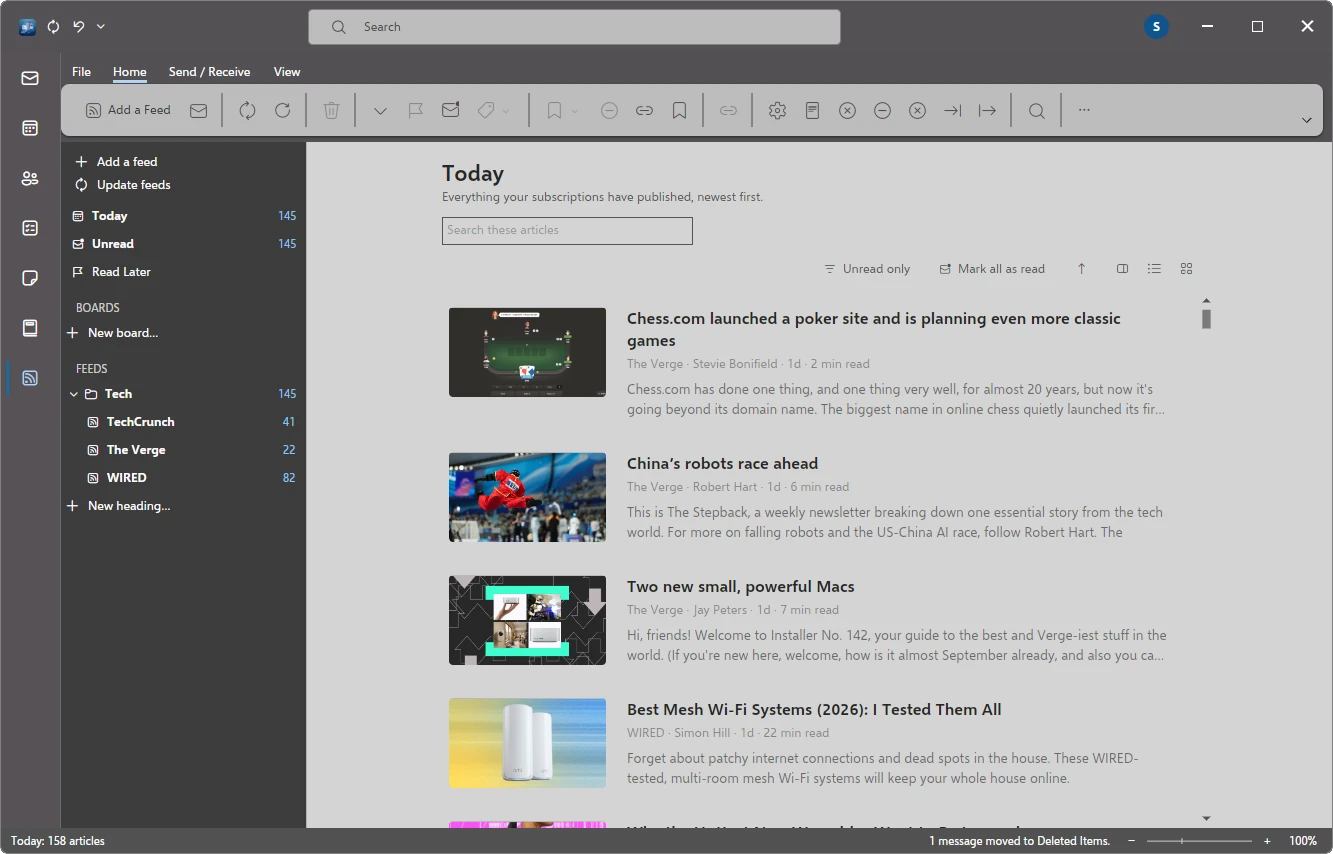
A reader, not a folder full of mail.
Feeds is its own module with its own store: subscriptions grouped into headings,
boards you assemble yourself, Read Later, unread-only filtering and three densities.
Articles come down for reading offline, and the unread count sits in the rail with
everything else.
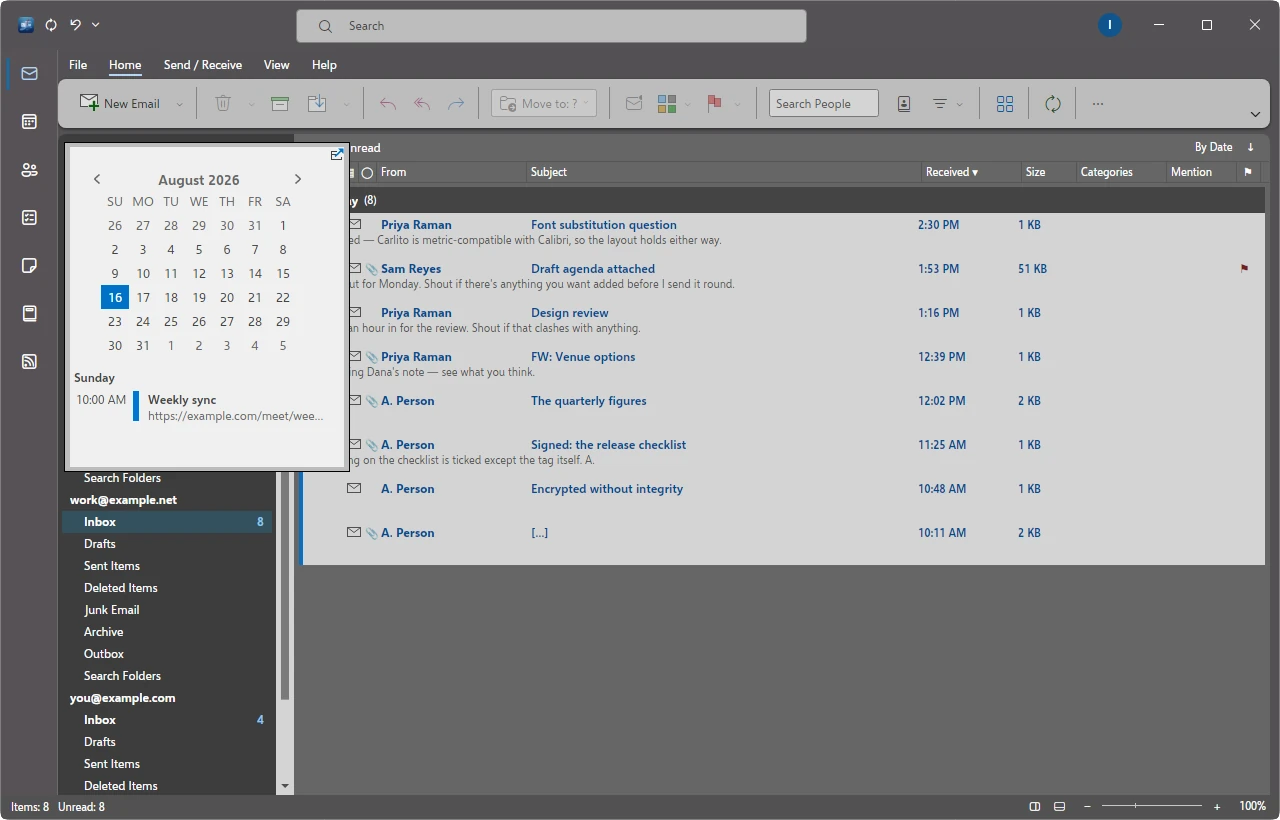
Peek without leaving the mail.
The rail opens the calendar, people or tasks over the message list rather than
instead of it — docked to the side or floating where you left it, with the day's
appointments underneath the month.
Animated themes animate.
GIF and APNG headers keep their animation: every frame decoded, composited and
freshly re-encoded, then played on the title bar at each frame's own timing — reaching
through the tab strip, the band those images were drawn for. A Reach option reins any
theme back.
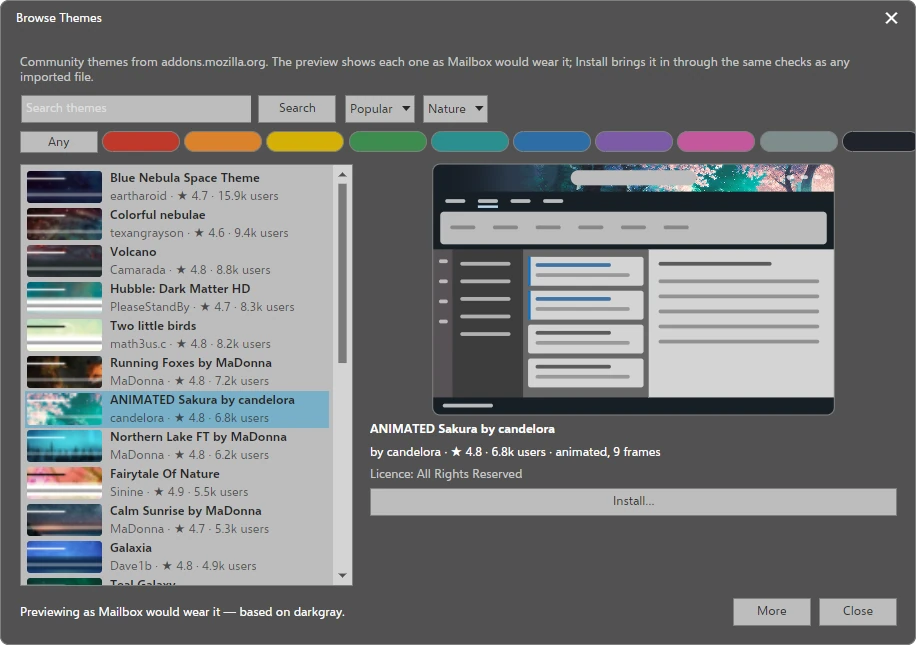
Half a million themes, previewed as Mailbox would wear them.
Search addons.mozilla.org from inside the application by words, popularity, rating,
trending, colour or category. Every preview is drawn from the same mapping an install
produces, and the theme's licence is named while declining is still a button.
Installing asks first, in plain words. The browser is the one place theming touches a
network — only addons.mozilla.org, and only while it is open.
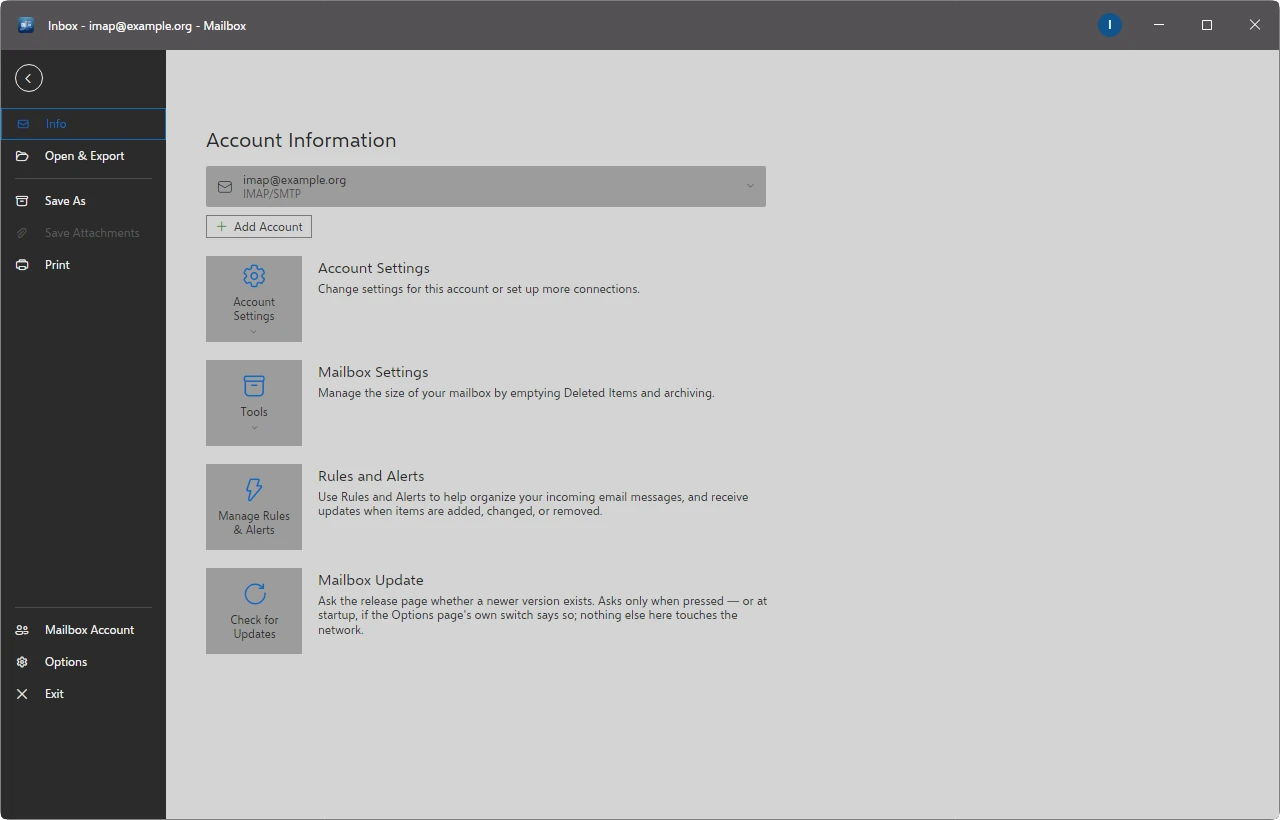
Everything about the account in one place.
Accounts and connections, mailbox size and archiving, rules and alerts, import and
export. The update check asks the release page whether a newer version exists — only
when you press it, or at startup if you turn that switch on. Nothing else on this page
touches the network.
Yours, on your machine
Nothing leaves unless you send it.
There is no service behind Mailbox. Not as a policy — there is nothing to send your mail
to, and nothing to sign up for.
Everything is local
Your mail lives in a store on your machine and stays readable when the network does
not. A rolling offline window per folder, or everything, as you prefer.
Open protocols, no lock-in
IMAP, POP3 and SMTP for mail; CalDAV and CardDAV for calendars, contacts, tasks and
notes. Self-hosted servers and any provider that speaks them, equally.
Mail is untrusted input
Every message passes an unbypassable sanitizer before the rendering engine sees it.
Remote images are blocked by default, and a report names the hosts that wanted to be
fetched.
Who really sent it
DKIM, SPF and DMARC results are shown on the message itself, with warnings for
lookalike domains and display-name spoofing.
Encryption, off until you ask
S/MIME and OpenPGP in both directions — signing, encryption, protected headers, key
generation, WKD lookup — and shipped disabled, so nothing cryptographic happens until
you turn it on.
Passwords in the keyring
Credentials go to the desktop keyring over Secret Service, never into a file.
Everything else stores under the XDG directories where you would expect to find it.
Confined by its own launcher
The packaged launcher runs the application in a hardened transient systemd user
unit: read-only outside its own data directories, no new privileges, an empty
capability set and a syscall allow-list — with every deliberate exception documented
beside the property it relaxes.
No telemetry
The one thing that would call home is the update check, and it is off unless you
turn it on.
The wiki's Hardening
page walks through each layer with pointers into the code and checks you can run yourself.
Themes
A theme that reaches every surface.
The usual failure of themeable applications is holes — a compose window or a settings
page the theme cannot reach. Every surface in Mailbox takes its colour from a named
token rather than a literal, and a coverage gate refuses to load a theme that is missing
one.
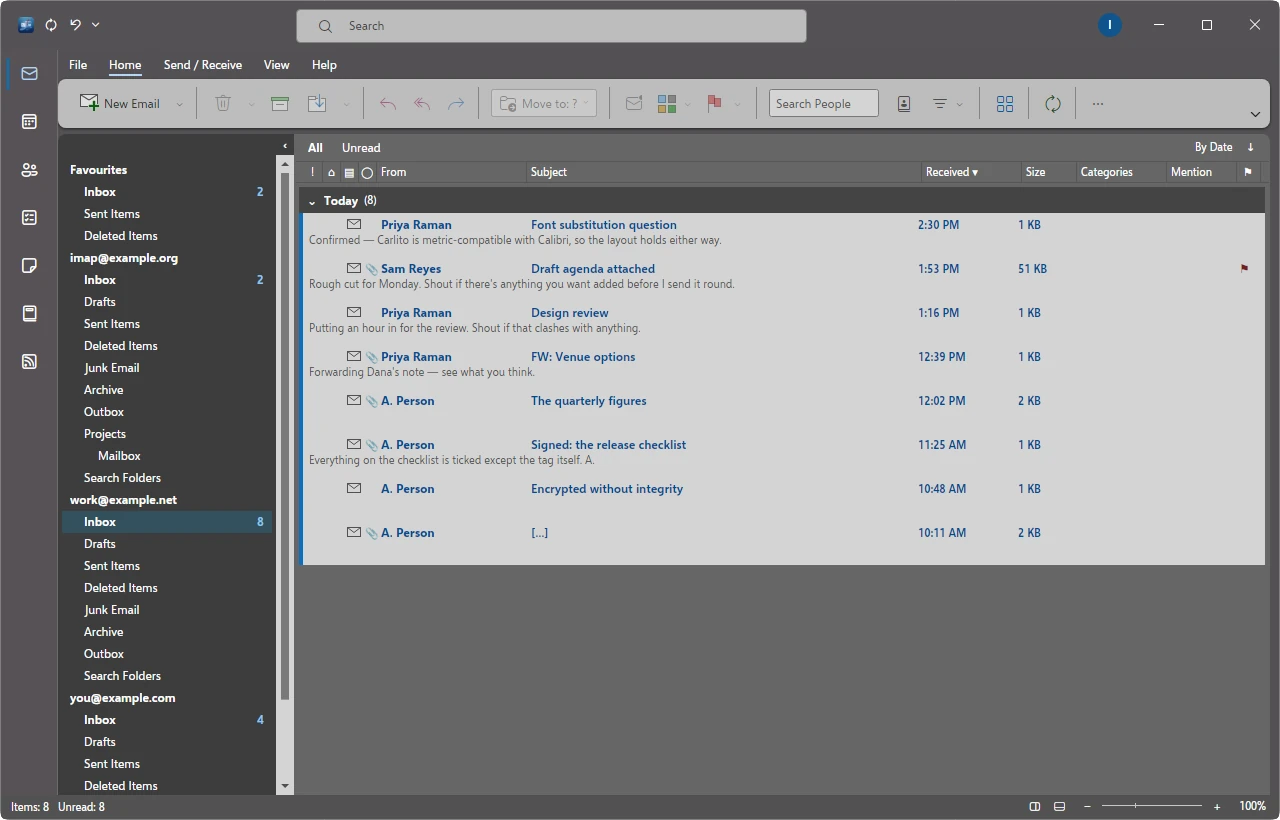
ColorfulWhiteBlack — with Dark Gray, four built in
Backgrounds. The title bar takes a texture or a picture of your own,
dragged into alignment by hand and kept exactly where you put it.
Palettes. Build a theme from a colour scheme: fourteen curated base16
schemes, your desktop's own colours, or a scheme sampled from your background image.
A palette recolours the chrome and never the content.
Point at it. The shell dims, the region under the pointer lifts with its
name, and a click scopes the editor to the tokens that paint it.
Import a browser theme. An .xpi, a zip or a bare
manifest.json — and everything a browser says that a mail client cannot
use is listed honestly rather than guessed at.
Share it as one file. A theme is a small JSON document; a theme with
images travels as a pack, installed through the same door with the same checks.
And the rule underneath all of it: choosing a built-in theme is always a complete return
to stock. No import, palette, edit or background can leave residue on Colorful, White,
Dark Gray or Black — an invariant the test suite enforces.
Import and export
Bring everything with you. Take it away again.
Coming in
Maildir in three layouts, mbox, .eml, .msg, read-only
.pst archives, and whole Thunderbird profiles — including filters,
translated into rules.
Going out, byte for byte
Every message is kept as the RFC 822 bytes it arrived as, so mbox and
.eml leave with nothing lost — plus .ics and
.vcf for the other modules.
A desktop citizen
Notifications with Reply, Delete and Mark Read; a tray icon with an unread badge;
autostart and start-minimised; mailto: handling, single-instance
activation, MIME associations and Print to PDF.
Yours to rearrange
Three toolbar modes over a layout you can rearrange, every action a named rebindable
command with conflict detection, adjustable density, HiDPI including fractional
scaling, and a plugin host with a versioned API.
Install
Three ways in.
Every release ships a .deb and a self-contained tarball; the AUR package
repackages the tarball for Arch.
Debian, Ubuntu and relatives
Built and tested against Debian 13 in a clean container on every release.
# from the release page
sudo apt install ./Mailbox.deb
Arch Linux
From the AUR, repackaged from the same release tarball.
yay -S mailbox-bin
Any distribution
Self-contained. Runs from wherever you extract it, no installation required.
tar -xzf Mailbox-<ver>-linux-x64.tar.gz
./Mailbox/mailbox
What it needs on the target
WPE WebKit (libwpewebkit-2.0-1 / wpewebkit), libwpe and
WPEBackend-fdo, X11 or Wayland, and fontconfig. Recommended:
secret-tool (libsecret) for the keyring, notify-send
(libnotify) for notifications, Hunspell dictionaries for spelling, and a desktop
portal — with GTK 3 as the fallback — for the file dialogs.
Fonts
Mailbox renders received mail at the metrics the sender intended by substituting
metric-compatible typefaces. Install these so common business fonts lay out correctly.
Proprietary fonts are detected and preferred when you already have them; they are never
shipped, because they are not redistributable.